 How to install Mozilla - Step 7
 |
Back |
|
Next |

|
| How to install Mozilla - Step 7
|
|||||||
|
|
|||||||
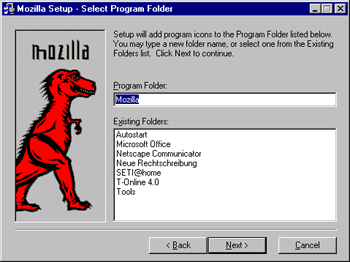
| In this screen, you can either create a program folder that will appear in your start menu with shortcuts to Mozilla, chose an existing folder (e.g. if you have created a folder called "Internet" that holds shortcuts to your internet-related programs), or let Mozilla create one. After that, click on "Next" to continue. |
|||||||
|
|||||||