 Advanced - final Step - System
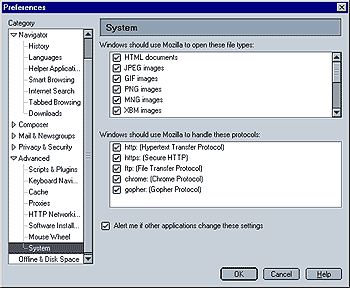
If you want to use Mozilla as your default browser, do not change the settings for protocols, with the exception of "ftp" in case you are using an ftp client (program) such as Filezilla (not related to Mozilla), a free open-source ftp client which works quite nicely, instead of your browser. This is recommended if you want to upload data from your PC to an ftp server since Mozilla cannot upload files to an ftp server from a browser window. It can, however upload web pages when using Mozilla Composer.
When the box "Alert me if other applications change these settings" is checked, Mozilla will alert you if any other program has hijacked these associations whenever you start Mozilla.
 |
Back |
|
|
|