 Mozilla Mail - Step 4
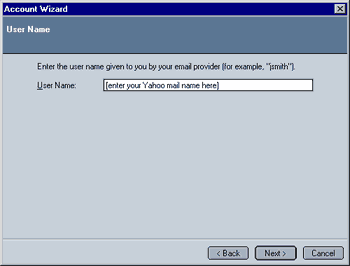
As a rule of thumb, it usually is the part of your Email address before the "@something.com". In the case of our "JohnDoe@yahoo.com" the user name would be "JohnDoe". Make sure you enter your user name correctly as you otherwise won't be able to access your email account with Mozilla mail.
Note: Old versions of Mozilla Mail do not support the "@" symbol as part of your user name. This can be changed by adding the following entry to the "user.js" or "prefs.js":
user_pref("mail.allow_at_sign_in_user_name", true);
Important: Make sure to read the instructions for modifying the "prefs.js" or adding the "user.js" file (the latter alternative is the safer one) in the "Using Mozilla" FAQ's troubleshooting guide before applying any changes to these files!
 |
Back |
|
Next |

|