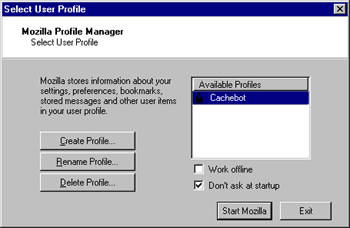
This is what you will see if you clicked on "Manage Profiles". You can see the available profile(s), create a new profile (you can chose the directory where each new profile will be saved), rename a profile and delete a profile. If you chose to delete a Netscape 4 profile, it will not actually be deleted but only removed from the list of available Mozilla profiles. By clicking on "Start Mozilla", you will start Mozilla with the seleted profile. If the selected profile is a Netscape 4 profile, it will be copied and converted.
|
 How to install Mozilla - Step 12