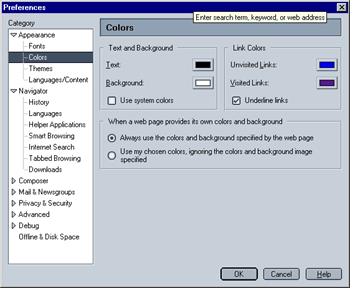
This screen lets you optimize the color settings. As in the previous screen, I would recommend leaving the defaults as they are.
- Always use the colors and background specified by the page:
When enabled, Mozilla will override your local settings (as specified in this menu) if a web page specifies different colors (like this page does).
- Use my chosen colors...:
When enabled, Mozilla will ignore the web page's color settings, using you local settings instead.
Please note that you can only chose between either of the two options.
|
 Appearance - Step 4